
Overview
Local Save First (LSF) is a new save mechanism introduced to resolve issues related to Git push operations, concurrent user activity, data loss, and performance degradation during artifact saves.
Instead of directly performing Git operations during a save action, the system now:
-
Saves the artifact locally first.
-
Pushes the Git operation to a background queue.
-
Processes Git operations sequentially from the queue.
This ensures improved stability, performance, and multi-user reliability.
Key Benefits
-
Eliminates commit gaps
-
Prevents reference mismatches
-
Avoids concurrent Git conflicts
-
Reduces data loss risk
-
Improves save performance
-
Provides clear UI indicators (Lock + Refresh Red Dot)
-
Ensures consistent multi-user experience
-
Protects repository integrity during application close or project switch
Core Mechanisms
LSF is built on two primary mechanisms:
Queue-Based Git Operations
-
All save operations are processed sequentially.
-
Parallel Git operations are not allowed.
-
This prevents overlapping pushes and conflict scenarios.
Version-Based Locking
-
Each artifact is temporarily locked after a save.
-
The lock ensures that concurrent modifications do not occur.
-
Lock is automatically released after successful synchronization.
Save Flow – Step-by-Step
When a user saves an artifact:
-
The artifact is saved locally on the user’s machine.
-
The artifact enters a locked state.
-
The save operation is scheduled for background processing.
-
The user can continue working without waiting.
-
Once synchronization completes:
-
The lock is released.
-
Changes become visible to other users.
-
Locking & UI Indicators
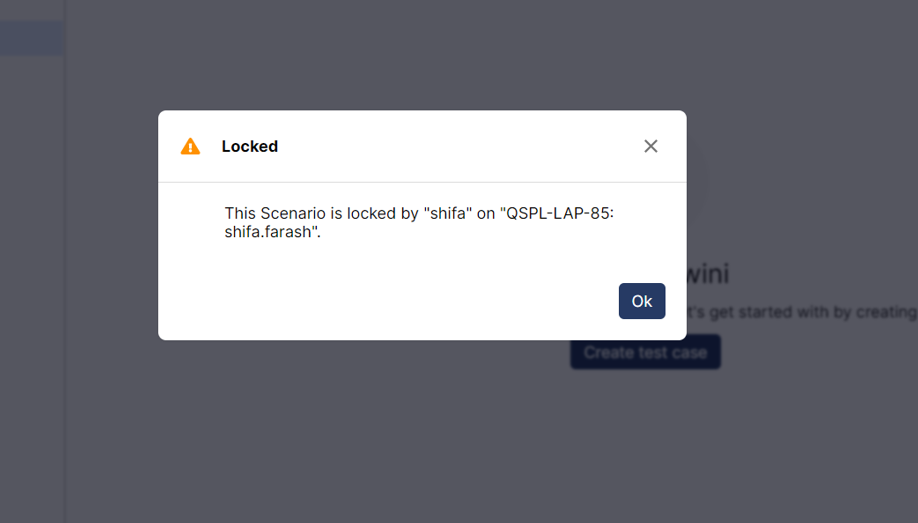
Lock Icon
-
Appears on artifacts that are temporarily locked.
-
Other users can view but cannot edit or delete the artifact.
Refresh Red Dot Indicator
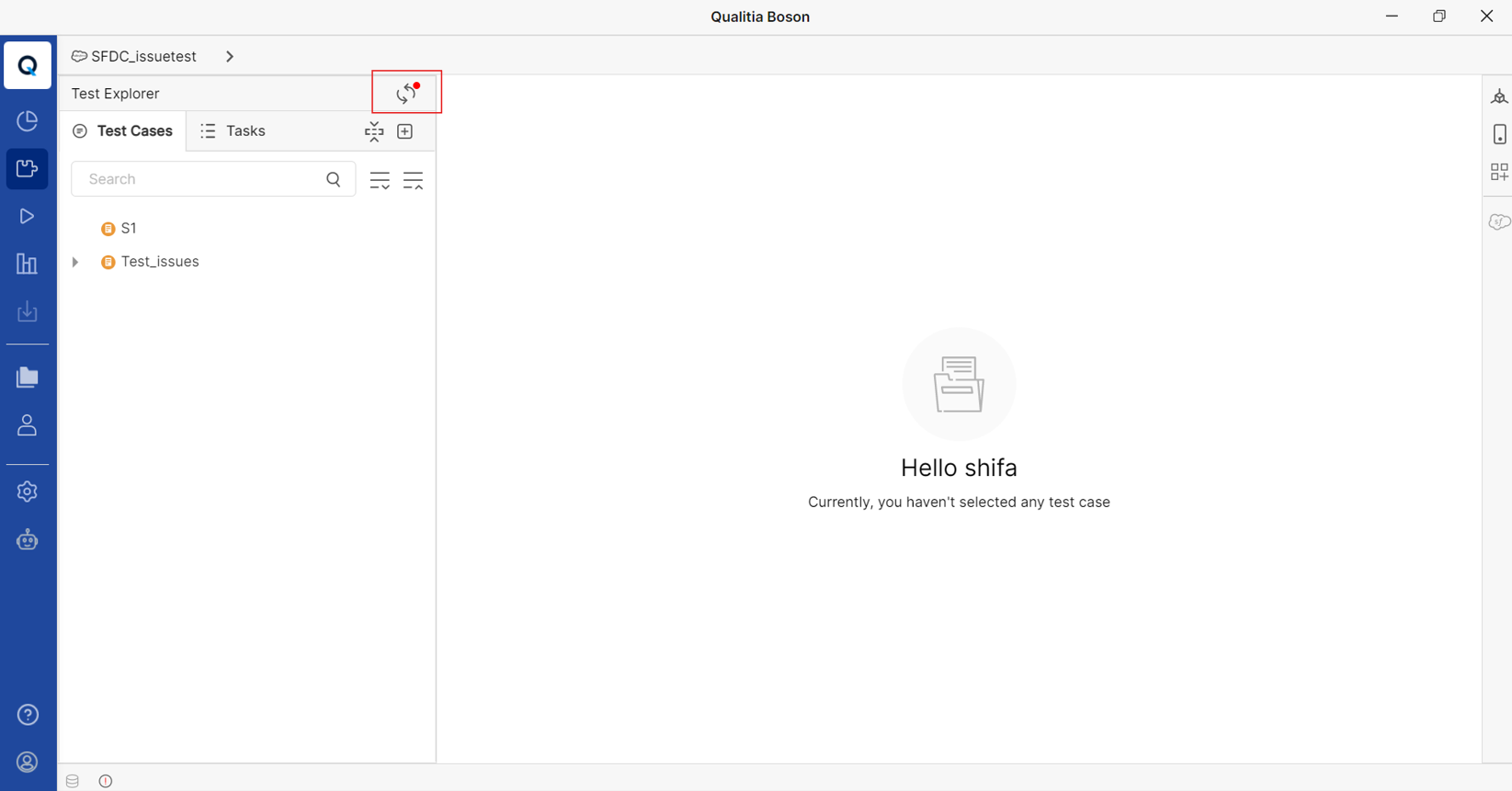
After synchronization:
-
Other users will see a red dot on the Refresh button.
-
This indicates that new changes are available.
-
Upon clicking Refresh:
-
The latest updates are loaded.
-
The artifact becomes editable (if not locked again).
-
Artifact Coverage
The LSF locking mechanism applies to all major artifacts in Qualitia, including:
-
Scenario
-
Test Case
-
Task
-
Object
-
Custom Action
-
Suite
-
Execution Profile
-
Publish
-
Environment Variable
-
REST Header
-
SFDC Import
-
SFDC Recorder
-
SFDC Task
-
SFDC Change Management
This ensures consistent behavior across the entire platform.
Background Sync & Application Exit
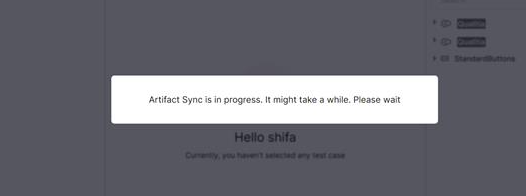
If synchronization is still in progress and the user attempts to:
-
Close Qualitia
-
Switch projects
A popup notification appears.
User Options:
Option 1: Continue Working
-
Close the popup.
-
Remain in the current project.
Option 2: Wait for Completion
-
Wait until synchronization finishes.
-
The application closes or switches safely.
This prevents incomplete operations and protects repository integrity.
LSF significantly improves stability, reduces concurrency-related failures, and delivers a seamless user experience across all artifact types in Qualitia.